
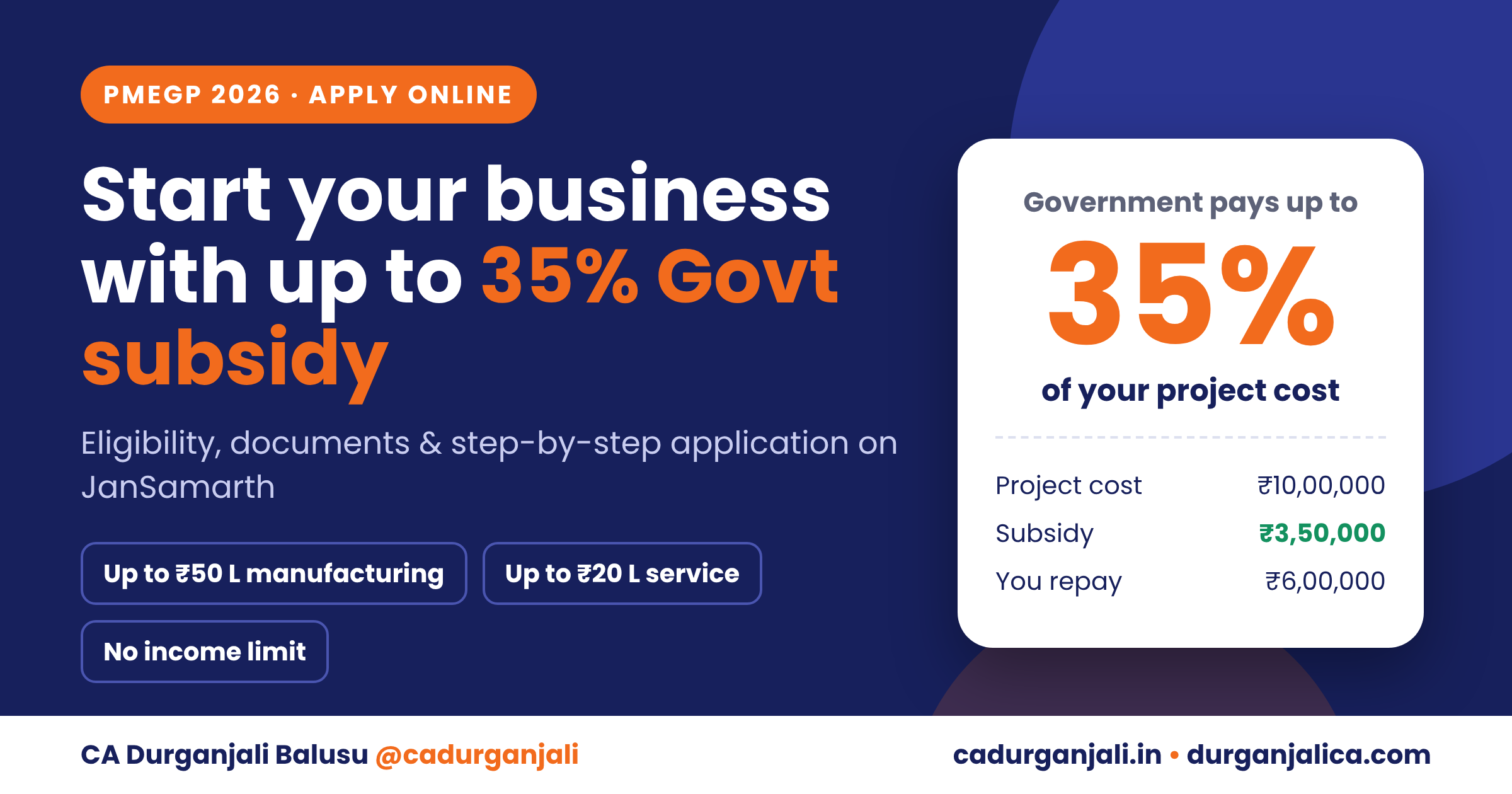
Many people want to start a small business but stop at one question: where will the money come from? The Government of India has a scheme that not only arranges a bank loan for your new unit but also pays a part of your project cost for you. It is called PMEGP, and you can apply for it fully online.
In this guide, I explain what PMEGP is, how much subsidy you can get, who can apply, the documents you need and the exact steps to apply through the JanSamarth portal.
Important update on PMEGP (please read first)
New PMEGP applications are not started on JanSamarth. The Ministry of MSME launched the PMEGP 2.0 Portal at pmegp.msme.gov.in on MSME Day, 27 June 2026. It replaces the old KVIC e-portal.
PMEGP 2.0 is linked with JanSamarth in the background – banks use JanSamarth for loan processing, sanction and disbursement. You file your application on PMEGP 2.0; the bank side runs through JanSamarth.
So if you search for an “Apply” button for PMEGP on JanSamarth and cannot find it, that is why. Use pmegp.msme.gov.in instead (steps are given later in this blog).
What is the JanSamarth Portal?
JanSamarth is the Government of India’s National Portal for Credit-Linked Government Schemes, run under the Department of Financial Services, Ministry of Finance. It was launched on 6 June 2022.
• Schemes: 16 credit-linked Central Government schemes – business, agriculture, home loans, solar, livelihood and more.
• Lenders: about 269 member lending institutions – public sector banks, private banks, RRBs, small finance banks, cooperative banks and NBFCs.
• Languages: 8 – English, Hindi, Telugu, Tamil, Kannada, Marathi, Gujarati and Bengali.
• Access: website www.jansamarth.in and the “JanSamarth – Applicant” mobile app (Android and iOS).
• Cost: registration and application are completely free.
• Scale: as on 1 June 2026, about 54.10 lakh applications worth ₹3,00,951 crore were processed, and digital approvals were given to 49.55 lakh applicants.
The portal pulls your details digitally from Aadhaar, PAN, Income Tax returns, GST, Udyam, credit bureau and bank data. That is why it can tell you your eligibility in a few minutes and give a digital in-principle approval.
How to Apply on JanSamarth – Step by Step
Step 1: Visit www.jansamarth.in (or open the JanSamarth – Applicant app).
Step 2: Choose the loan category you need – for example, Business Activity Loan, Home Loan or Kisan Credit Card.
Step 3: Click “Check Eligibility” and answer the simple questions about you and your business.
Step 4: The portal suggests the scheme that suits you best. Click “Apply Now”.
Step 5: Register with your mobile number linked to Aadhaar and verify it with OTP.
Step 6: Log in and fill the application. Give consent so the portal can fetch your Aadhaar, PAN, ITR, GST and bank details digitally.
Step 7: Select the bank / branch and submit. Eligible applicants get a digital in-principle approval.
Track your application status online until the bank completes sanction and disbursement.
What is PMEGP?
PMEGP stands for the Prime Minister's Employment Generation Programme. It is a credit-linked subsidy scheme of the Ministry of MSME for setting up new micro-enterprises in the non-farm sector. The bank gives the loan, and the government gives a subsidy (called margin money) of 15% to 35% of the project cost.
The Khadi and Village Industries Commission (KVIC) is the national nodal agency. At the field level, the scheme is implemented through KVIC, State Khadi and Village Industries Boards (KVIBs), District Industries Centres (DICs) and the Coir Board.
The scheme is active and funded. The Union Budget 2026-27 allocated about ₹4,500 crore to PMEGP, up from about ₹2,954 crore in 2025-26.
How much subsidy can you get?
The subsidy depends on two things: your category and whether your unit is in an urban or rural area.

Category
Own contribution
Subsidy (Urban)
Subsidy (Rural)
*Special category: SC, ST, OBC, minorities, women, ex-servicemen, transgender persons, persons with disabilities, and applicants from North-Eastern, hill and border areas and aspirational districts.
The rest of the project cost (90% or 95%) comes as a bank loan.
Example: how the subsidy works
A woman sets up a manufacturing unit in a rural area with a project cost of ₹10 lakh. As a woman, she falls in the special category, so she gets the highest subsidy of 35%.

Particulars
A
The subsidy is not paid to her in cash. It is kept as a term deposit in her loan account for 3 years. After 3 years, if the unit is running successfully, it is adjusted against her loan. No interest is charged on the loan portion equal to the subsidy amount during this period.
Project cost limits

Sector
Maximum project cost
Education rule
There is no education requirement for small projects. A minimum 8th class pass is needed only if the project cost is above ₹10 lakh in manufacturing or above ₹5 lakh in service.
Second loan for expansion
Existing PMEGP units that have repaid their first loan and are running profitably can take a second loan for upgradation: up to ₹1 crore for manufacturing and up to ₹25 lakh for service units, with a subsidy of 15% (20% in North-Eastern and hill states).
Who can apply?
• Any individual aged 18 years or above
• There is no income limit
• Only for new projects. Existing units cannot apply for the first loan
• Only one person per family (family means self and spouse)
• Self-help groups, societies registered under the Societies Registration Act, 1860, production co-operative societies and charitable trusts can also apply
Who cannot apply?
• Units that have already taken a government subsidy under PMRY, REGP or any other Central or State scheme
• Activities in the negative list, such as meat processing, beedi, pan, cigarettes, liquor, crop cultivation (horticulture, floriculture, sericulture) and polythene bags below 20 microns
Documents required
• Aadhaar card (with mobile number linked for OTP)
• PAN card
• Recent passport-size photograph
• Education certificate (8th class or higher, where applicable)
• Caste or special category certificate, if you are claiming the higher subsidy
• Rural area certificate, if you are claiming the rural subsidy rate
• Detailed project report: project cost, means of finance, projected profits and repayment schedule
Why the project report matters
Approval on the portal is only in-principle. The final decision is taken by the bank, and the bank decides mainly on the strength of your project report. A clear, realistic report prepared by a Chartered Accountant improves your chances of getting the loan sanctioned.
Two official ways to apply
• KVIC PMEGP e-portal: the scheme's own portal, run by KVIC (kviconline.gov.in/pmegpeportal).
• JanSamarth portal: the Government's single-window portal for credit-linked schemes (jansamarth.in). It is useful because you can check eligibility for several schemes at once and get a digital in-principle approval.
The steps below are for JanSamarth.
About JanSamarth
JanSamarth was launched by the Government of India on 6 June 2022. It brings 16 credit-linked government schemes across 8 loan categories onto one platform, with 269 lenders, in 8 languages including Telugu. It automatically verifies your details with sources such as Aadhaar, Udyam, GST, income tax records and CIBIL, so there are fewer visits to the bank branch.
As of 1 June 2026, 54.10 lakh applications worth ₹3.01 lakh crore had been processed on JanSamarth, and 49.55 lakh beneficiaries had received digital approval for ₹2.76 lakh crore.
Step-by-step: how to apply for PMEGP on JanSamarth
1. Open jansamarth.in. Go to the Schemes menu and select Business Activity Loan.
2. Select PMEGP. Read the benefits and eligibility, then click Check Eligibility.
3. Answer a few simple questions: type of applicant, purpose of the loan, project cost and your own contribution. For example, a project cost of ₹20 lakh with ₹5 lakh of your own money means a required loan of ₹15 lakh.
4. See your result. The portal shows the schemes you are eligible for and the maximum loan amount.
5. Register with your mobile number using OTP, and complete your Aadhaar and PAN KYC.
6. Fill in your details and upload documents. Udyam, GST and ITR data is fetched automatically where available.
7. Choose your bank and branch.
8. Get your digital in-principle approval and track the status online until the loan is disbursed.
Important points before you apply
• EDP training is compulsory. You must complete an Entrepreneurship Development Programme (EDP) before claiming the subsidy: at least 5 days for projects up to ₹5 lakh and at least 10 days for projects above ₹5 lakh. Projects up to ₹2 lakh are exempt.
• Repayment period: 3 to 7 years after an initial moratorium fixed by the bank, at the bank's normal rate of interest.
• Udyam registration is required for your enterprise.
• Final sanction is by the bank. Portal approval is in-principle only.
• Subsidy lock-in: the subsidy is adjusted against your loan only after 3 years, provided the unit is running.
Not eligible for PMEGP? Look at Mudra
If you already have a running business, or your activity does not fit PMEGP, the Pradhan Mantri Mudra Yojana gives collateral-free loans without subsidy:
Category
 Loan amount
Mudra is also available on JanSamarth under Business Activity Loan.
Frequently asked questions
Is there an income limit for PMEGP?
No. There is no income ceiling for applying under PMEGP.
Can I get PMEGP for my existing business?
Not for the first loan. PMEGP is only for new units. However, existing PMEGP units can apply for a second loan for expansion.
Is the subsidy paid to me in cash?
No. It is kept in your loan account for 3 years and then adjusted against the loan.
Can a husband and wife both apply?
No. Only one person per family is eligible, and family means self and spouse.
Do I need collateral?
As per the PMEGP guidelines, banks will not insist on collateral security for loans up to ₹10 lakh. For larger loans, check with your bank.
Need help with your PMEGP application?
We prepare bank-ready project reports and help you through the PMEGP and Mudra application process, from eligibility to sanction.
CA Durganjali Balusu | M/s Durganjali & Associates, Hyderabad
Call / WhatsApp: 9014644586
Websites: cadurganjali.in | durganjalica.com
Instagram: @cadurganjali
Disclaimer: This article is for general information. Scheme terms are set by the Ministry of MSME and KVIC and may change; the final loan decision rests with the bank.
Sources
• PMEGP guidelines – District Industries Centre, Ganjam (January 2026)
• KVIC – Revised PMEGP Scheme Guidelines
• PIB – 4 years of JanSamarth (June 2026)
• TaxGuru – PMEGP subsidy, limits and second loan
• Machinist – MSME Ministry 2026-27 budget, PMEGP allocation